

Product updates and release notes for Wicked CMS
Webflow Analyze reports in Wicked CMS
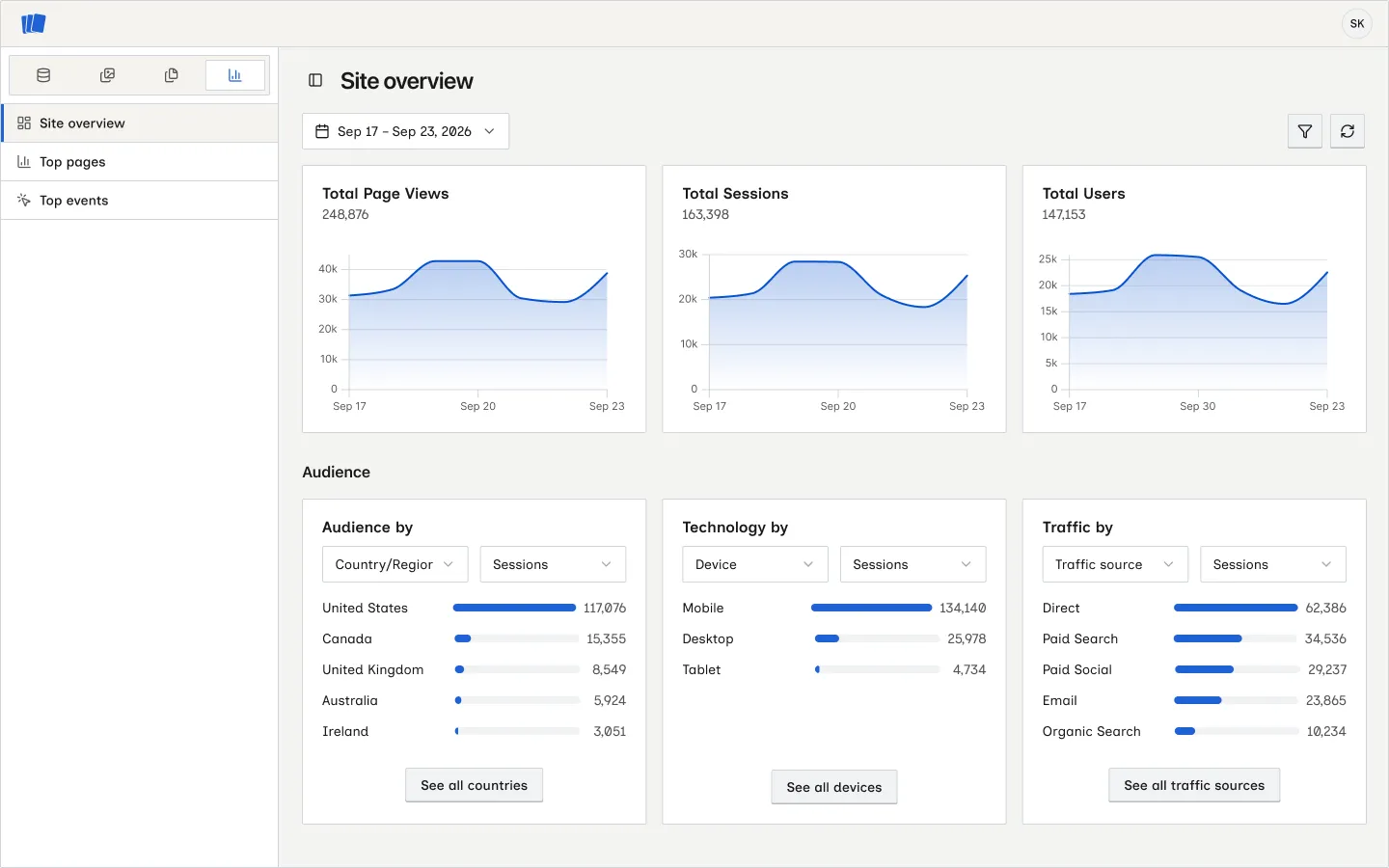
You can now check a site’s Webflow Analyze data without leaving Wicked CMS. Open a site and click Analyze in the section switcher.
What’s new?
- Site overview shows page views, sessions, users, and audience rankings by location, technology, and traffic source. Change the date range or filter the overview by audience and traffic attributes.
- Top pages ranks pages and CMS item URLs by traffic. Open a page for trends, time on page, device and traffic source breakdowns, and its top events.
- Top events lists tracked events with their pages and counts. The two ranked reports can be narrowed by device type.
Webflow Analyze must be enabled on the Webflow workspace that owns the site. If it is unavailable, the Analyze section explains why and offers Check again after you enable it.
See View site analytics, Review top pages, and Review top events for the controls in each report.