

Product updates and release notes for Wicked CMS
Advanced filters for items
Combine multiple filter rules with And or Or, including multiple rules for the same field.
What’s new?
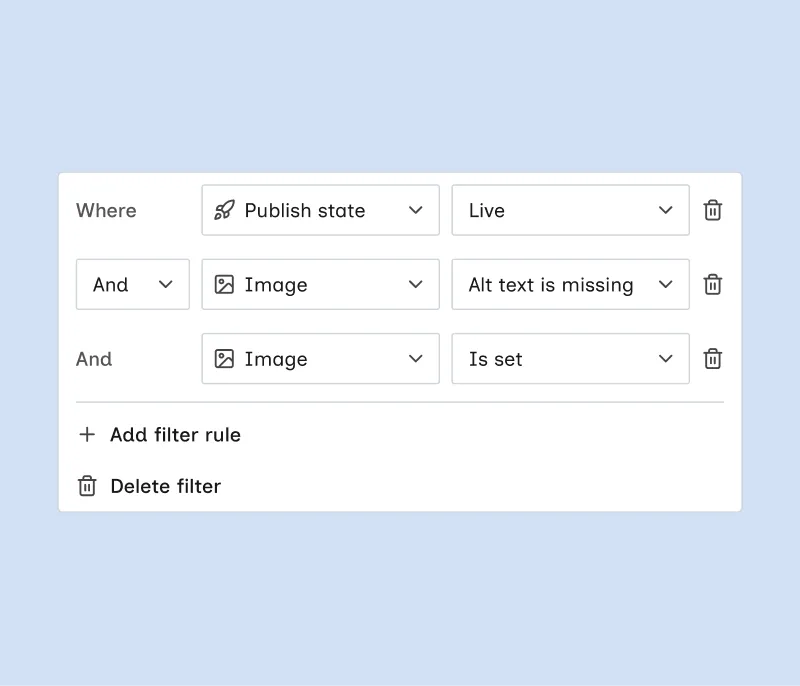
- Add advanced filter in the Filter picker. It creates a multi-rule filter chip in the filter bar.
- Chain rules with And or Or. Items must match all rules with And, or any rule with Or.
- Reuse the same field across rules, such as two different Image conditions.
- Use the same metadata and collection fields as regular filters, including image Alt text is set and Alt text is missing.
- Click Add filter rule to add a condition, or Delete filter to remove the filter.
How to use an advanced filter
Advanced filters work alongside regular filter chips and search. See Advanced filter for details.